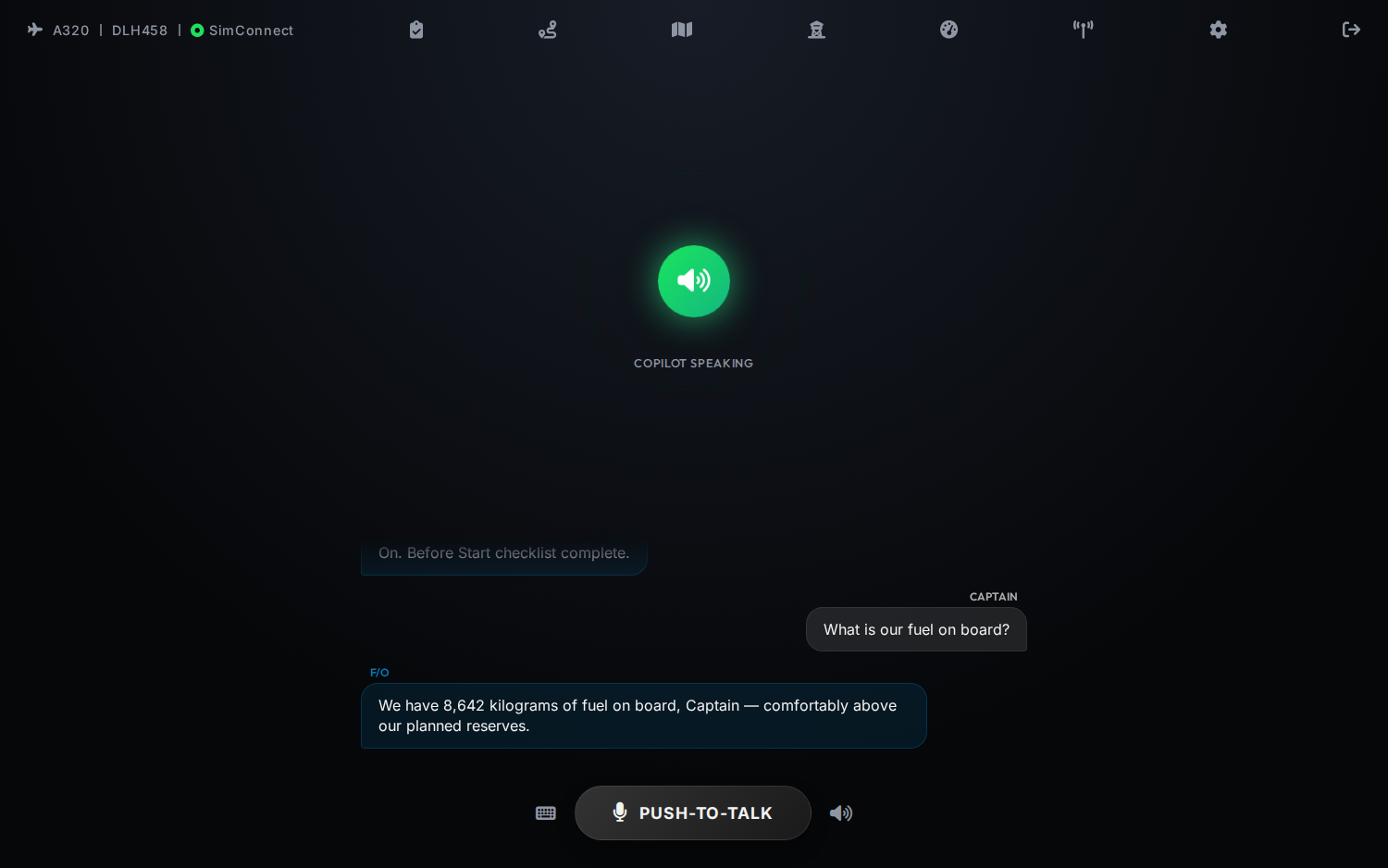
A telemetry-aware crew member that monitors your aircraft in real time, runs airline-style challenge-and-response checklists, shows real approach charts and a live airport map, and talks back in standard phraseology — not a generic chatbot.
Your First Officer reads the panel, follows the FCU and MCDU and calls it like an airline crew — because every value comes from the live aircraft, not a script.
Everything is driven by your actual aircraft state. The copilot watches the panel, follows the flight plan, and acts like an airline Pilot Monitoring throughout every phase.
Reads airspeed, altitude, flaps, gear, autopilot, lights and more straight from SimConnect — the single source of truth for aircraft state.
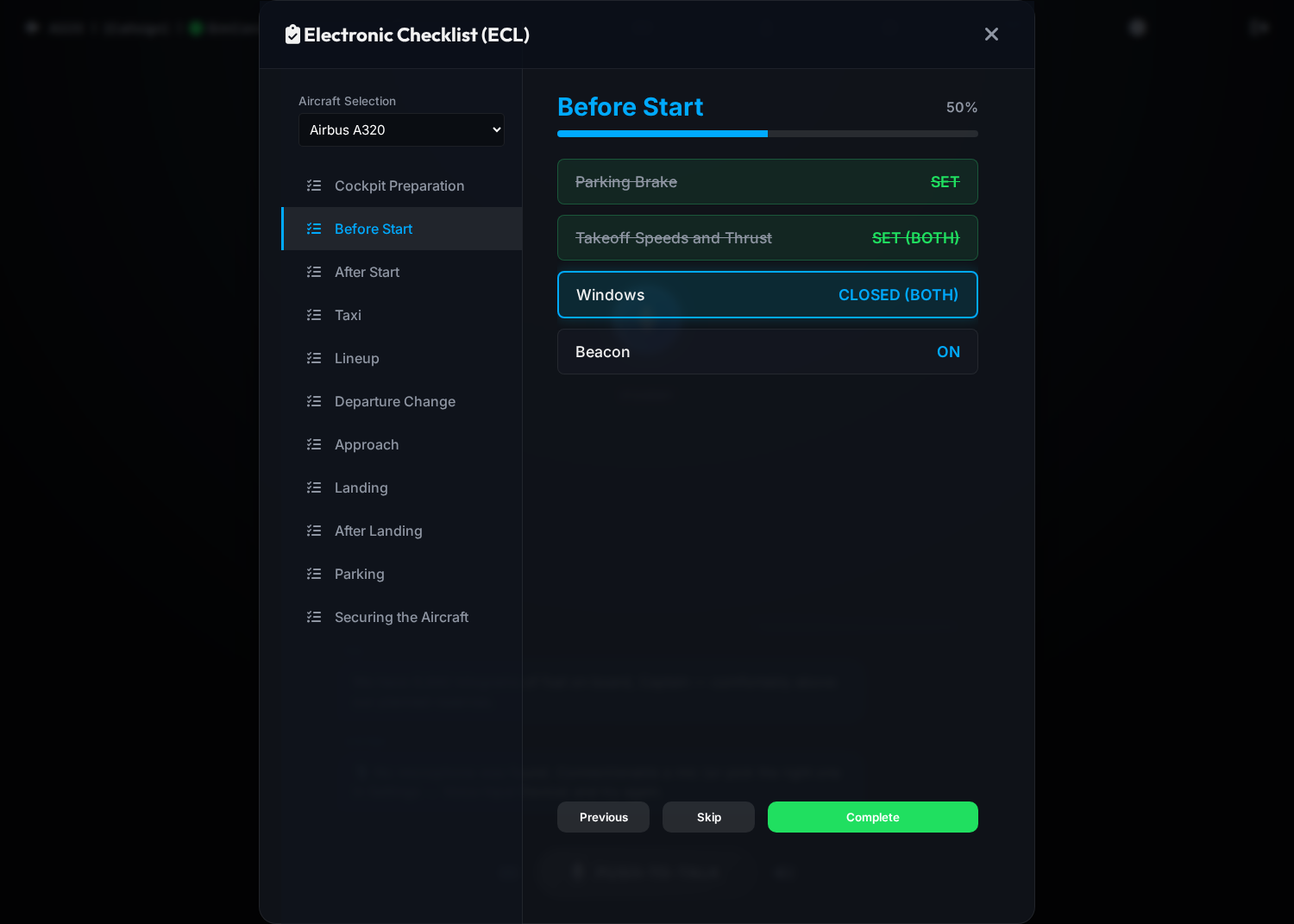
Real FCOM-style phases from Cockpit Preparation to Securing. The F/O reads the challenge, hears your reply, reads it back — and challenges you if the aircraft disagrees with your callout.
Pull callsign, route, fuel, cruise altitude, alternates, pax and aircraft type into flight memory — no manual typing of what dispatch already knows.
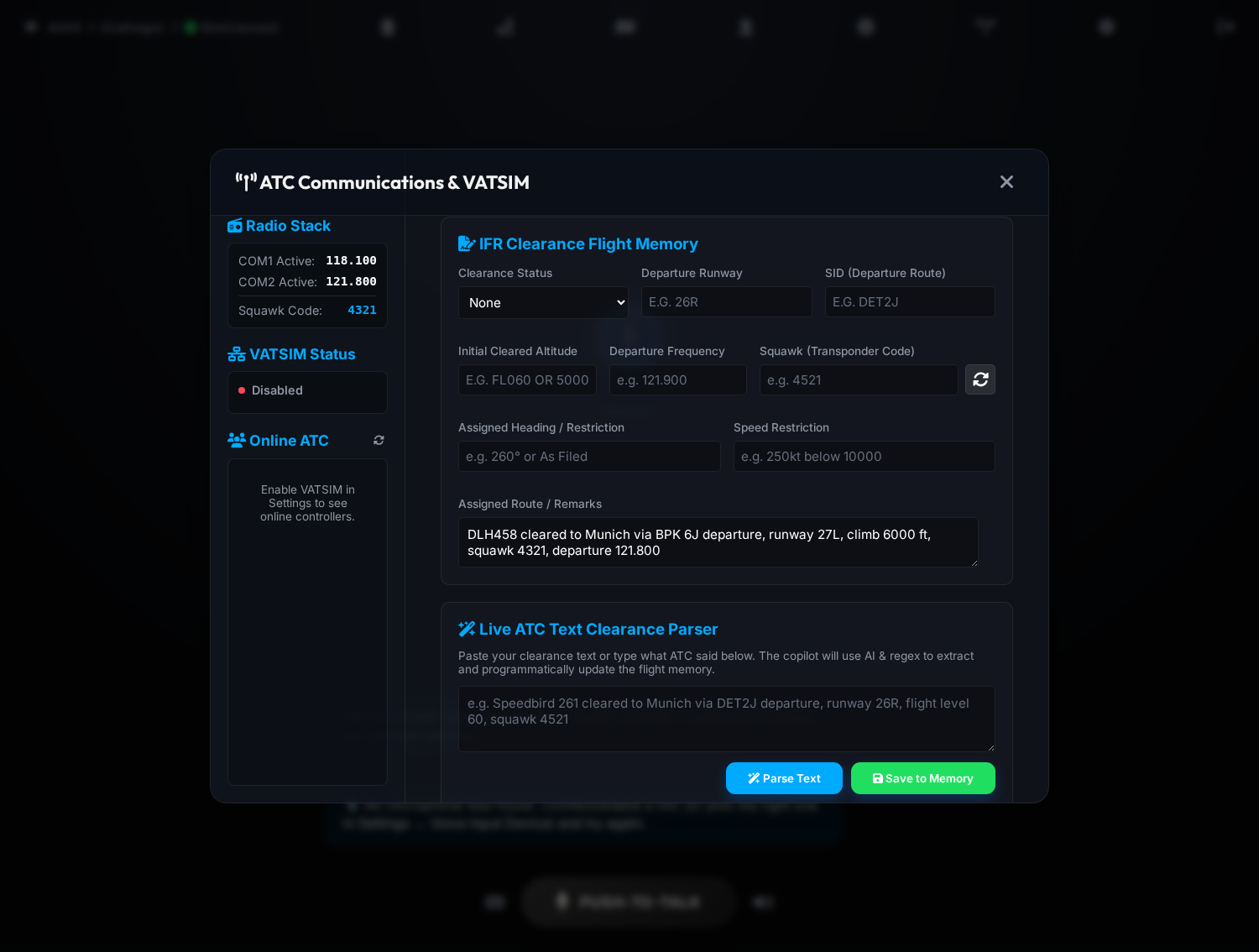
Online controllers, live METARs and a clearance parser that turns what ATC said into structured readbacks with standard ICAO phraseology.
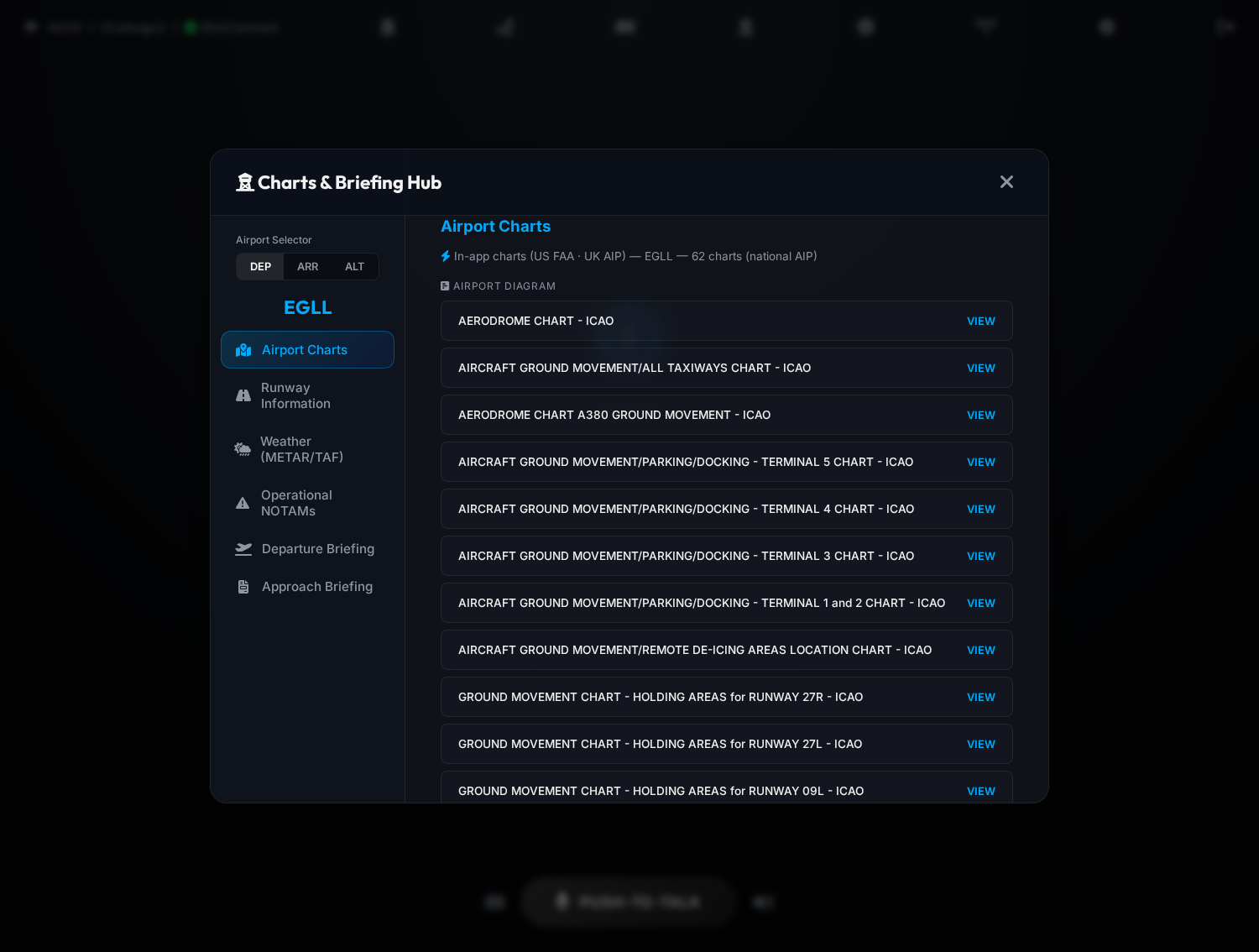
Built-in, AIRAC-current charts for US (FAA), UK and Austrian airports — diagrams, SIDs, STARs and approaches in a clean zoomable viewer — plus weather, NOTAMs and AI-spoken briefings.
Push-to-talk with a global hotkey, or fully hands-free VOX activation. Fast speech recognition and streaming airline-style voices — replies start speaking in about a second.
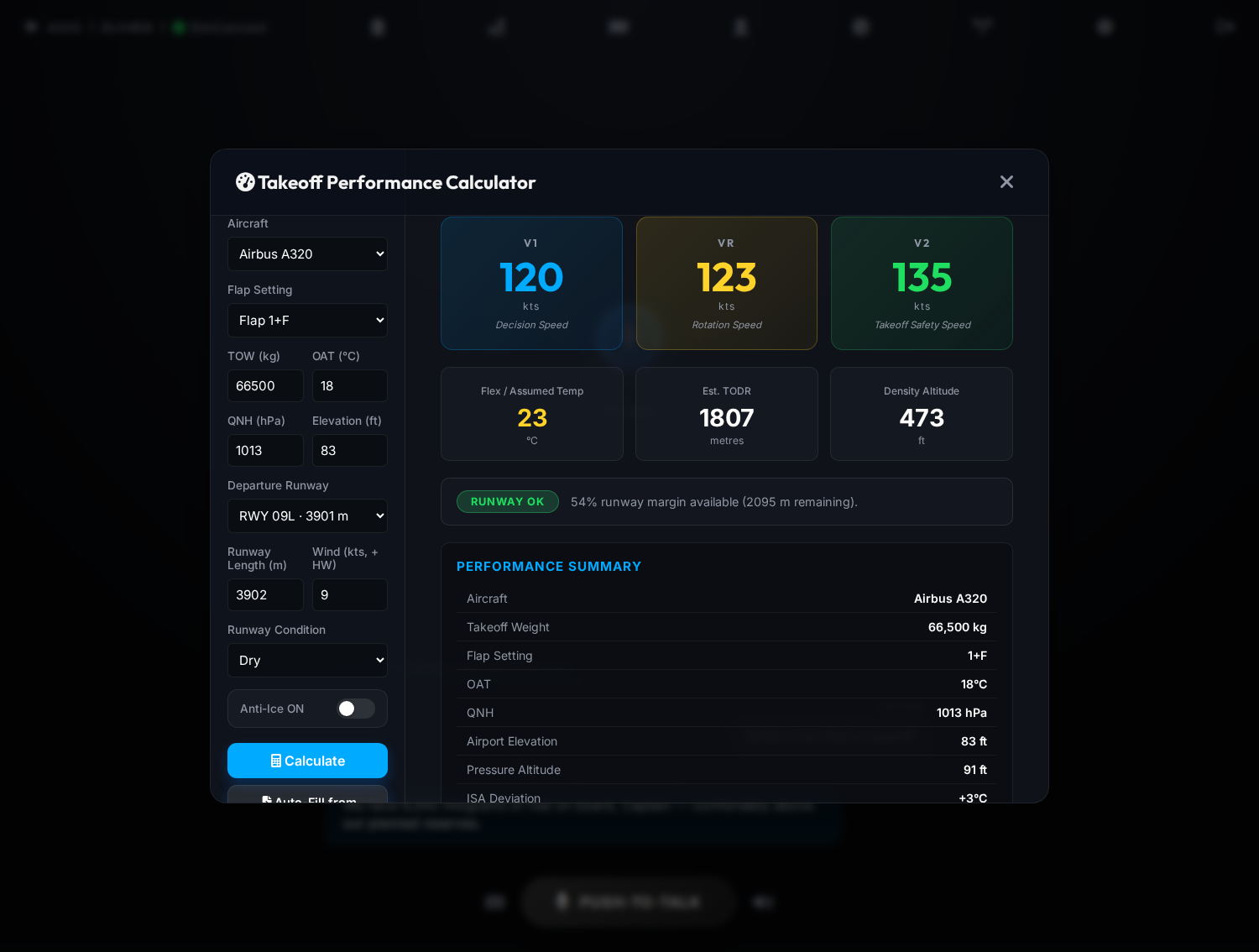
Estimate V1, VR, V2, flex temp and TODR from weight, flaps, runway and conditions — right beside the flight deck.
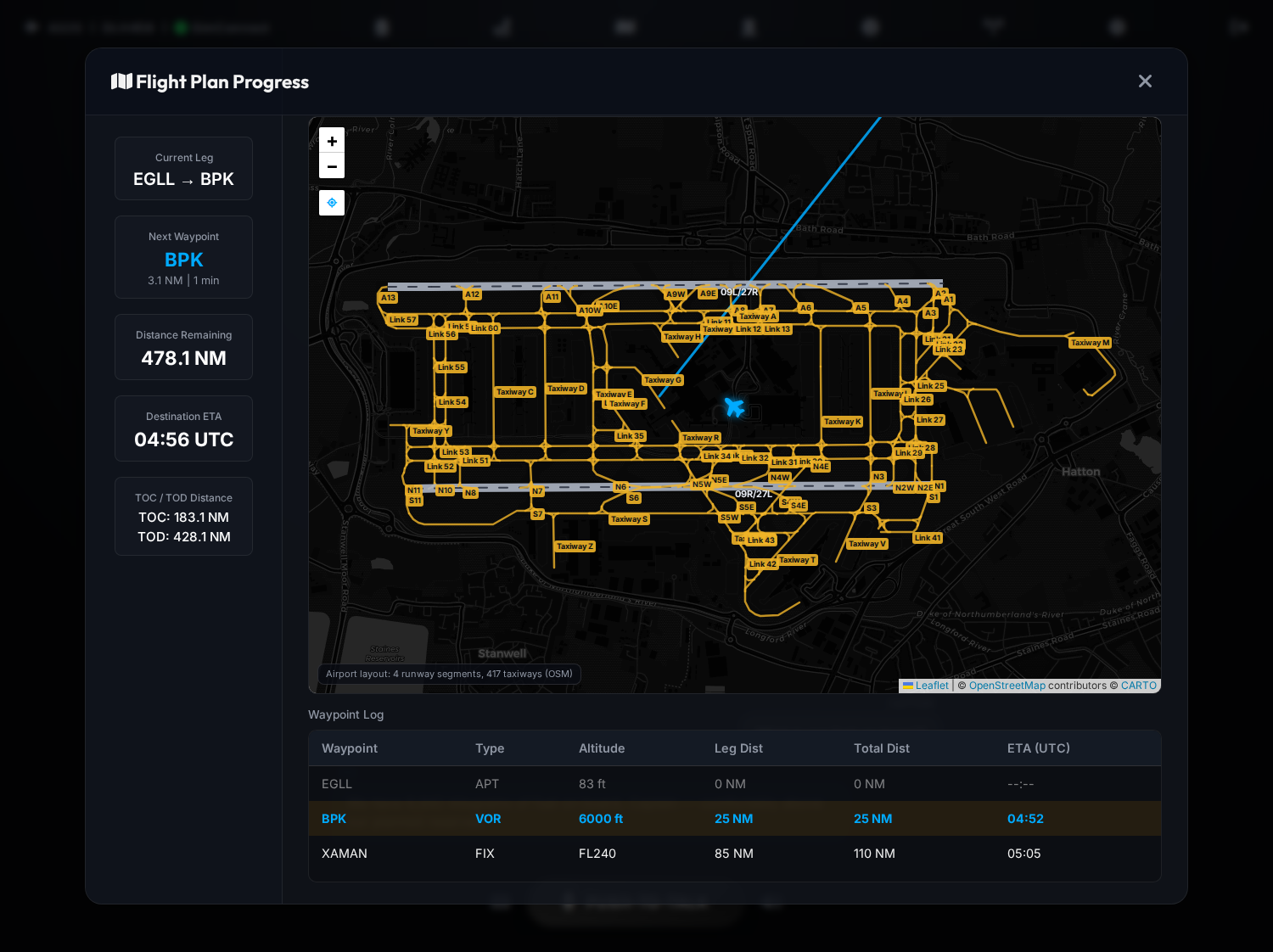
Zoom into any airport and runways with lettered taxiways appear on the moving map, drawn from OpenStreetMap — with your aircraft tracked and followed live.
Announces TOC, TOD, waypoint changes and restrictions, and watches configuration, ATC compliance and checklist completion for you.
Every aircraft is a configuration plus a checklist file. Adding a new type is data, not code — your fleet grows with you.
A focused, glass-cockpit interface that stays out of the way until you need it.
Pick the aircraft and phase, and your First Officer reads each challenge aloud. Items tied to a switch tick off the instant you set it in the cockpit.
Keep your radio stack, squawk and IFR clearance in structured flight memory. Paste what ATC said and the copilot parses it into a clean, standard readback.
Airport diagrams, SIDs, STARs and approach plates, runway information, decoded weather and NOTAMs — for your departure, arrival and alternate.
A live moving map with your current leg, next waypoint, distance and ETA remaining, plus top-of-climb and top-of-descent distances from your imported plan.
Feed in weight, flap setting, runway and conditions to get V1, VR, V2, flex temperature, estimated TODR and density altitude — without leaving the flight deck.
A small bridge runs on your PC — the full copilot lives in your browser.
Paste one PowerShell line (or use the 1-click installer) — it downloads everything, finds your MSFS Community folder and puts a shortcut on your Desktop. No Node.js, nothing to configure.
Create your account and sign in — voice is built in, no API keys to manage. Add your SimBrief name, pick a push-to-talk key, and with MSFS running the SimConnect light turns green.
Hold push-to-talk and brief your First Officer. They monitor the aircraft, run checklists and handle the radios all the way to the gate.
Each type ships with its own checklist and configuration. Adding another is just a new data file.
Create your account free, then choose a plan when you are ready to fly. Secured by SumUp — your card never touches our servers.
New here?
One-time charge · no auto-renew · only paid plans renew automatically
Secured by SumUp · cancel anytime · prices in EUR
Microsoft Flight Simulator (2020 or 2024) on PC, plus any modern browser. The SimConnect bridge installs with a single PowerShell command — no Node.js, no API keys; voice and AI are part of your subscription. A SimBrief account is recommended for flight-plan import, and VATSIM is optional for online ATC.
SimConnect is the single source of truth for aircraft state — airspeed, altitude, flaps, gear, autopilot and more. The copilot never invents procedures or performance numbers; checklists and aircraft profiles load from structured data files.
No. Voice and AI are built into your subscription — there are no keys to buy or manage. Speech is processed by OpenAI under our account, isn't used to train their models, and we don't store your audio. See the privacy policy for the full picture.
Yes. Every aircraft is fully modular — create a JSON checklist file named after the type and add it to the selector. No code changes are required.
Create a free account first, then subscribe to Pro or Max. Payments are processed securely by SumUp; your card details never touch our servers. Your subscription is tied to your account, so it works on any device you sign in from — and you can turn off auto-renewal or delete your account any time in the app under Settings.
No — it produces simulation estimates from generalised transport-category formulas to enhance immersion. It is not for real-world flight planning.
Create your free account and bring an airline-standard First Officer into your flight deck today.